$ ssh you@your-server
Git over SSH.Anywhere.
Review, stage and commit code on your own servers, from your iPhone or iPad. No laptop, no sync service, nothing on the server but Git.

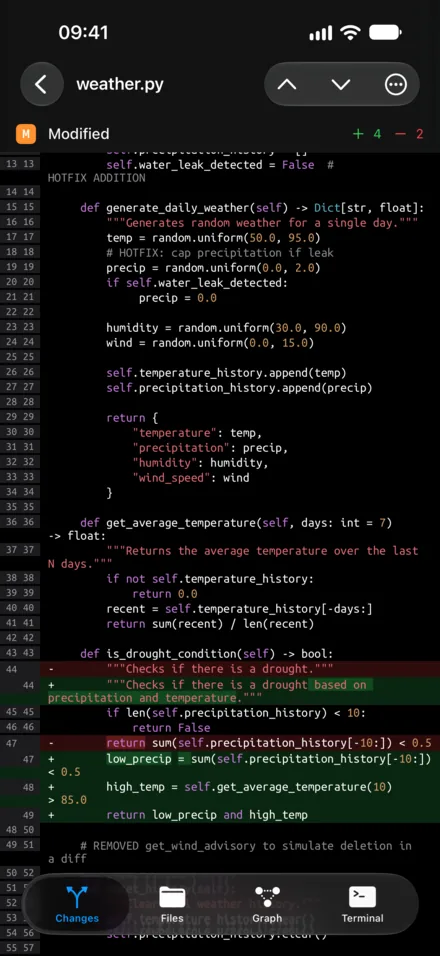
The whole pitch, as a diff.
a bug report lands while you’re away from your desk
| @@ -1,5 +1,3 @@ a bug report lands while you’re away from your desk | |||
| 1 | - | find somewhere to sit down | |
| 2 | - | open the laptop, wait for the Wi-Fi | |
| 3 | - | ssh you@build-box | |
| 4 | - | cd ~/src/orchard && git diff | |
| 1 | + | open DiffSSH on your phone | |
| 2 | + | read the diff, stage the fix, commit, push | |
| 5 | 3 | get back to your day | |
review
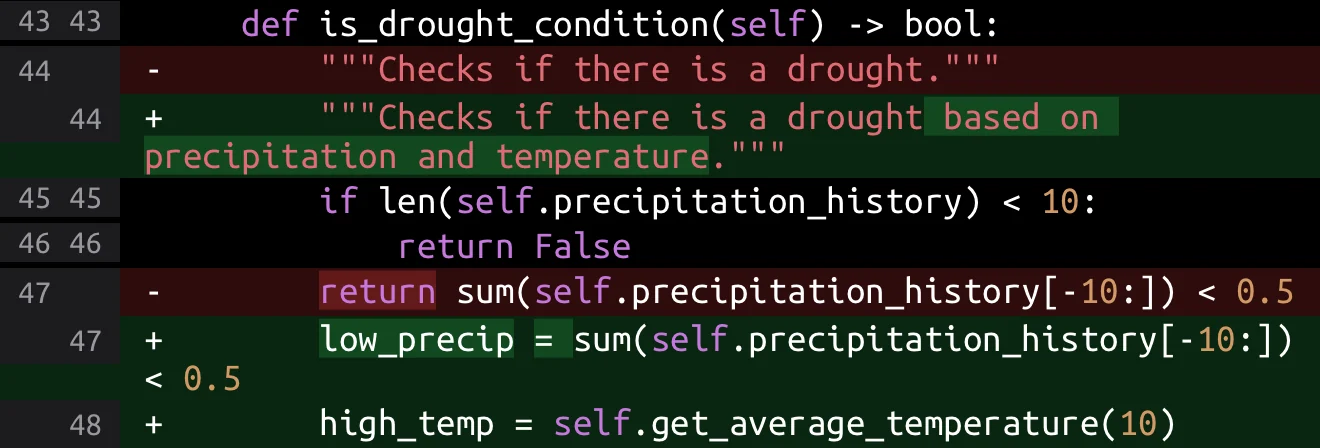
Diffs you can actually read on a phone.
The same diff you’d get from git diff, laid out for a small screen: syntax highlighting, line numbers and the changed words picked out, not just the changed lines.
- Staged and working-tree changes, as a folder tree or a flat list
- Expand the context around any hunk
- Before / After for changed images, PDFs and other binary files
- Markdown and SVG diffs flip to a rendered preview
commit
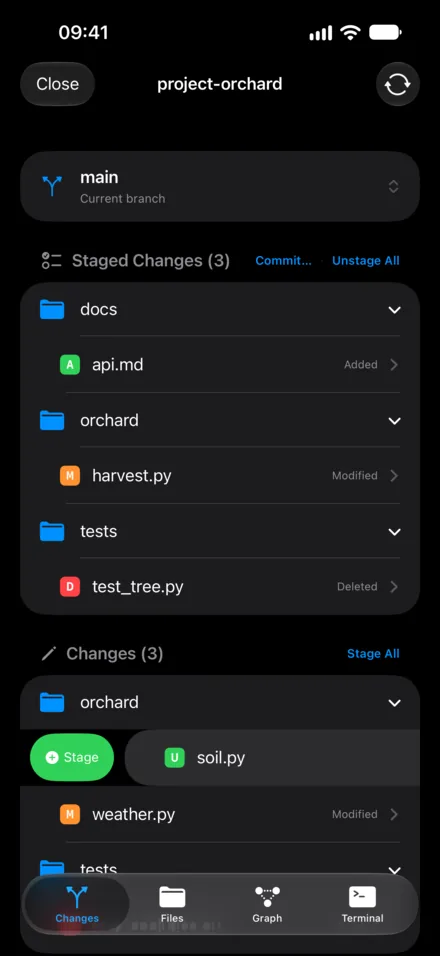
Stage with a swipe. Commit. Push.
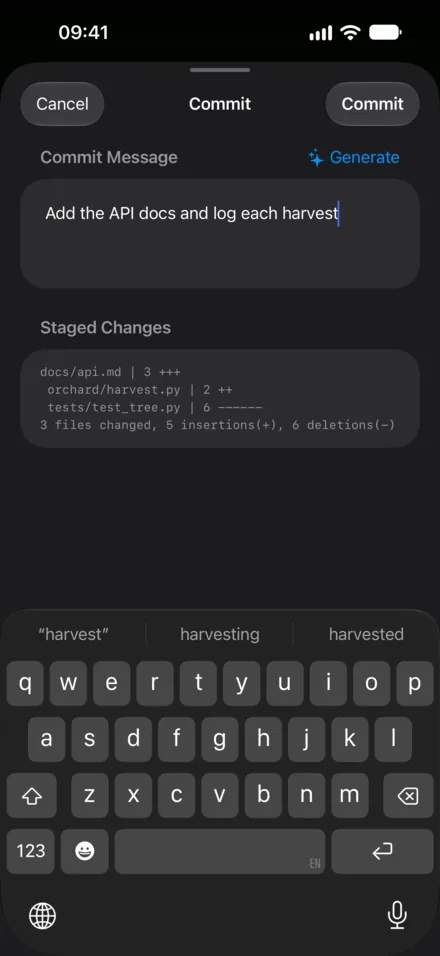
Swipe a file, a whole folder, or everything at once. Write the message, commit, then pull and push without leaving the app. If you need to, discard what you don’t want.
- Apple Intelligence can draft the commit message from your staged changes, on device
- See exactly what’s going in before you commit
- Switch branches, create one, or check out a remote branch
terminal
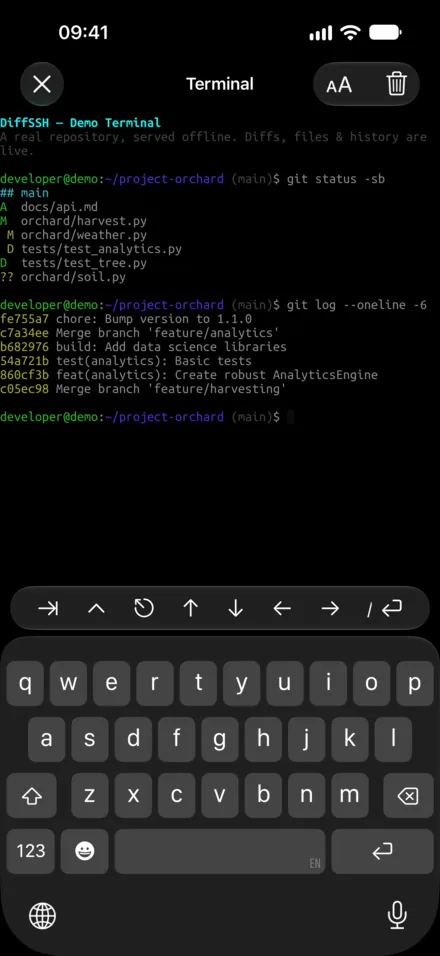
A shell that survives the subway.
A real interactive terminal in your repository, with a key row for Tab, Ctrl, Esc and the arrows. The session lives on the server in tmux or GNU screen, so dropping signal doesn’t drop your work.
-
you open the terminal
tmux new-session -A -D -s rd-4f2a - the train goes into a tunnel your build keeps running on the server
- you open DiffSSH again same session, same prompt, same scrollback
explore
The whole repository, not just today’s changes.
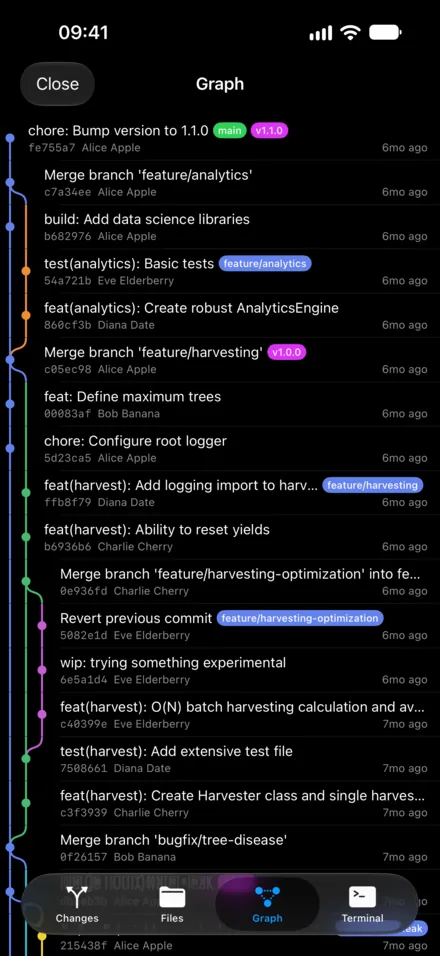
Commit graph
Branches, merges, tags and refs at a glance.
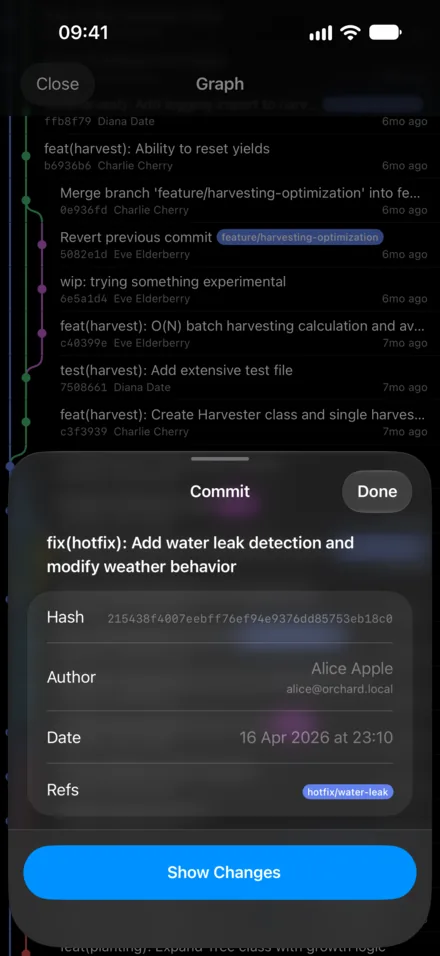
Any commit
Open one and see what it changed, file by file.
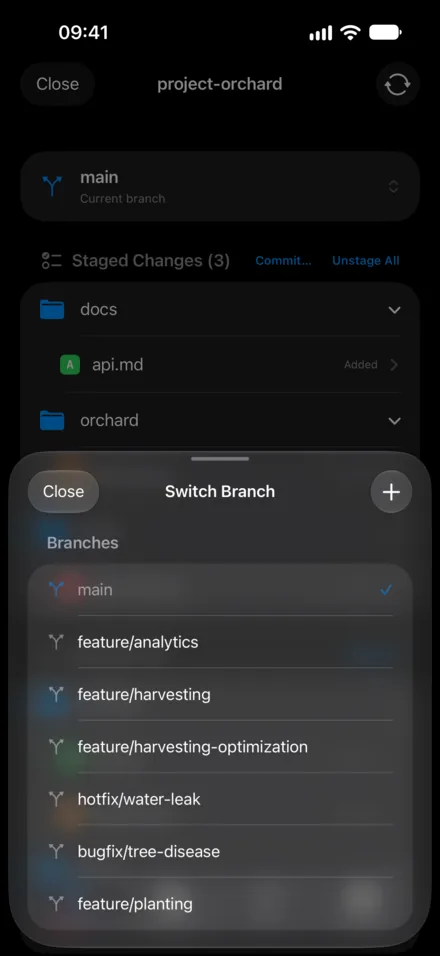
Branches
Switch, create, or track a remote branch.
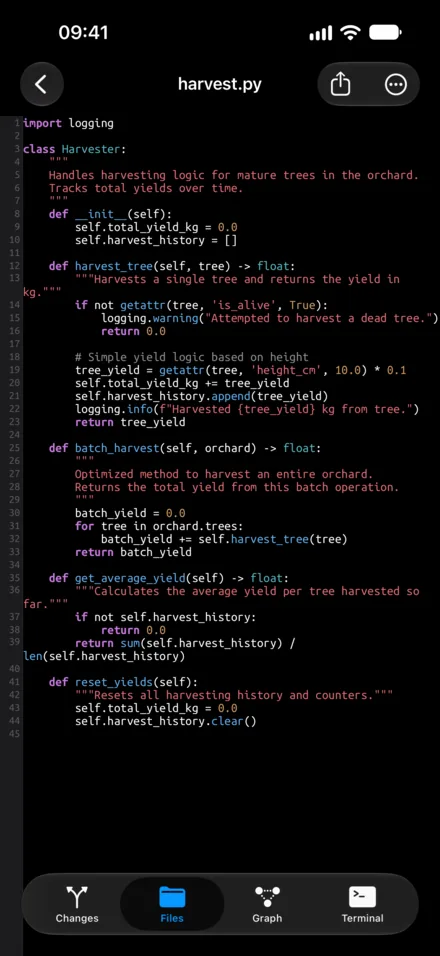
Files
Browse the working tree. Preview PDFs, images, video and Office files, and share any file.
ipad & mac
More room on iPad and Mac.
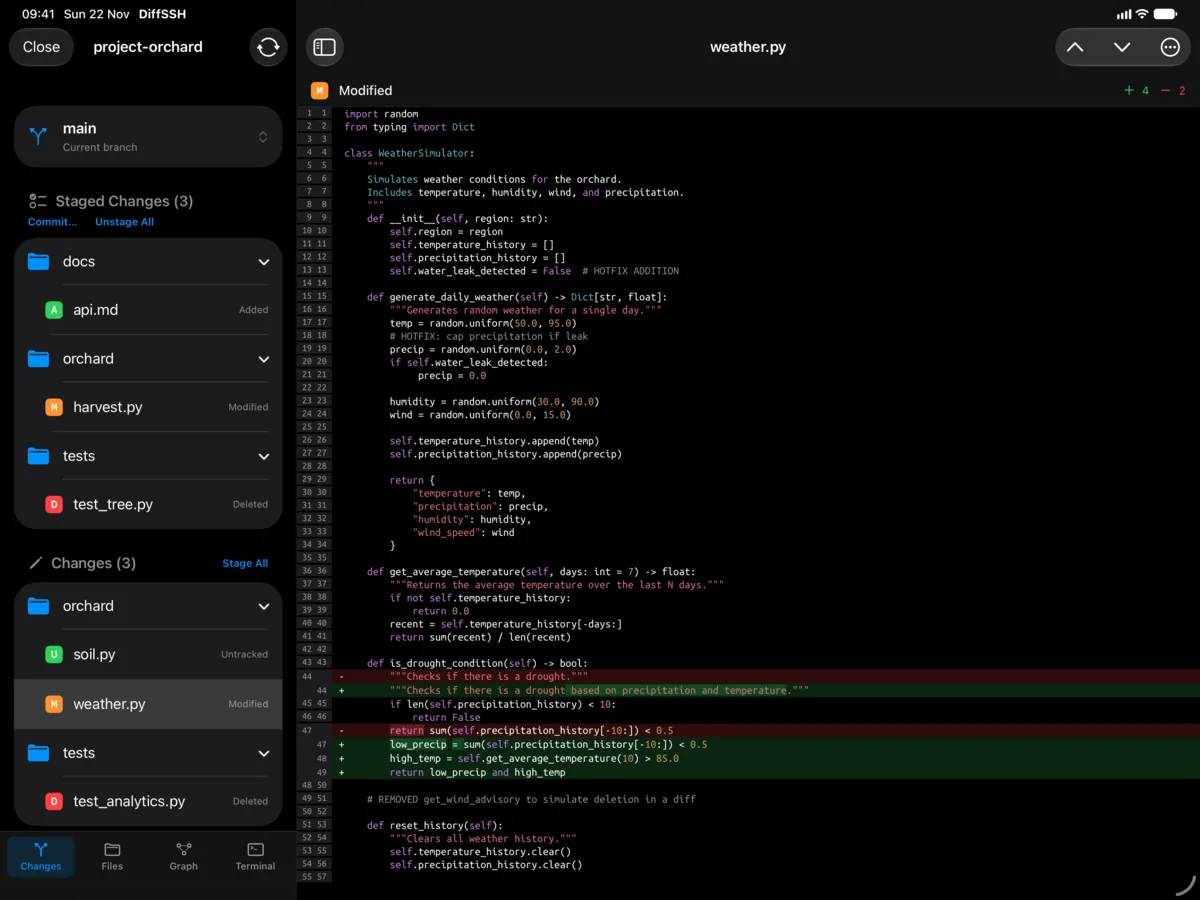
On larger screens DiffSSH becomes a sidebar layout, with your changes on the left and the diff beside them, plus keyboard shortcuts.
iPhone
Including landscape on large iPhones and both screens of iPhone Duo.
iPad
A sidebar layout, a hardware keyboard, and the whole diff in view.
Mac
The same app runs natively on Macs with Apple silicon.
how it works
Nothing to install on your server.
No agent, no daemon, no web service. DiffSSH connects straight to your machine over SSH and runs the same Git commands you would. If you can ssh in and run git, it works.
- server
- Anything you can SSH into: a VPS, a build box, a Raspberry Pi, the desktop under your desk.
- sign in
- Password, or an Ed25519 or RSA key. The server’s host key is remembered on first connect, and a changed key stops the connection.
- needs
- Git. For the terminal, tmux or GNU screen.
- shells
- bash, zsh, fish, csh, nushell or PowerShell as your login shell.
# open the repository
$ git -C ~/src/orchard status --porcelain --branch
$ git -C ~/src/orchard diff --no-color -M -U1000 -- orchard/weather.py

# swipe to stage, then commit
$ git -C ~/src/orchard add -A -- orchard/soil.py
$ git -C ~/src/orchard commit -m 'Log each harvest'
$ git -C ~/src/orchard push

# the graph
$ git -C ~/src/orchard log --pretty=tformat:… -n 200 HEAD

# the terminal
$ tmux new-session -A -D -s rd-4f2a -c ~/src/orchard
privacy
Your code goes from your server to your phone. Nowhere else.
- no account
Nothing to sign up for. Open the app and add a server.
- no analytics
No tracking, no telemetry, no third-party SDKs.
- no middleman
There’s no DiffSSH server. The app talks only to the machines you add.
- keychain
Passwords and private keys stay in the iOS Keychain on your device.
This website doesn’t track you either: no cookies, no analytics, no third-party requests. Read the privacy policy.
Can I try it without setting up a server?
Yes. DiffSSH ships with a demo repository that works offline, with real history, branches, diffs and a demo terminal, so you can see how everything works before you connect anything.
What does my server need?
SSH access and Git. That’s it for reviewing, staging, committing, pulling and pushing. The terminal also needs tmux or GNU screen so your session can outlive the connection: apt install tmux, dnf install tmux or brew install tmux.
Can I edit files?
Not in the file viewer: files and diffs are read-only. DiffSSH changes your repository only when you ask it to stage, unstage, discard, commit, pull, push or switch branches. For anything else, there’s the terminal.
Where are my passwords and keys stored?
In the iOS Keychain on your device. They’re only ever sent to the servers you configure, to sign in.
Which devices does it run on?
iPhone and iPad with iOS or iPadOS 17 or later, and Macs with Apple silicon.
What does it cost?
DiffSSH is free to download, with no account and no ads.
Your servers.
In your pocket.